Showing posts with label Mac. Show all posts
Blockchain Development Environments
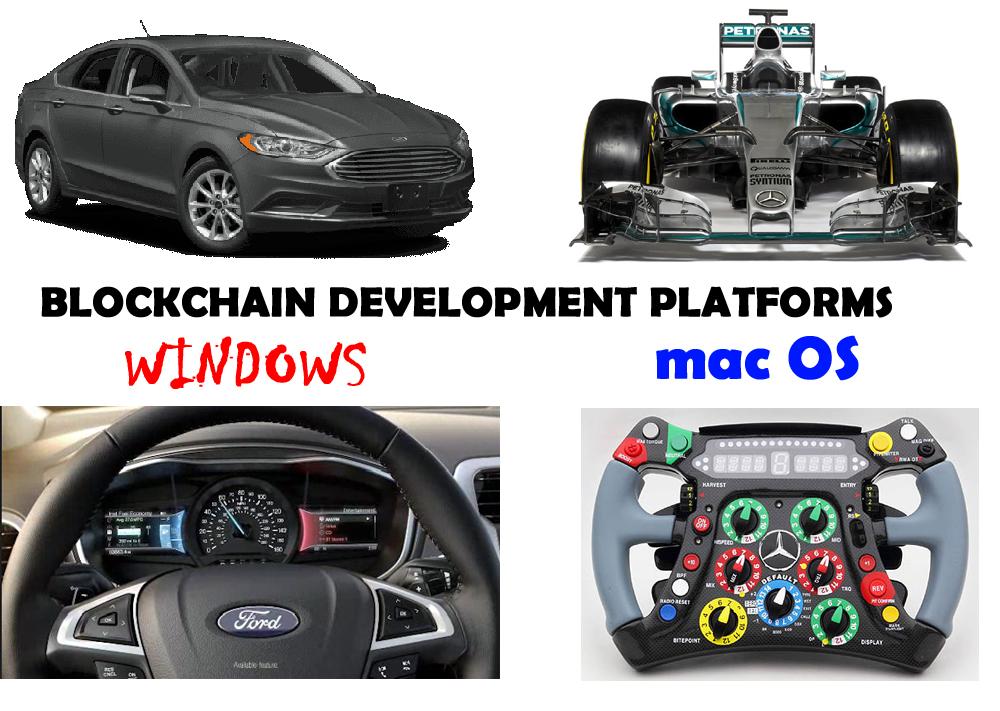
Your blockchain development environment has a virus. It's called Windows. Of course, if you are a blockchain developer, you already know this.
The first time that I did a Docker installation of a BigchainDB blockchain, there was a graceful implementation on Mac & a kludge requiring 3 more pieces of software for Windows and it was problematic. (Docker & its smarter cousin Kubernetes are small, custom-configured server deployment execution environments that run on a laptop & act as a blockchain servers).
Because Mac is Unix based, and if you know Linux, you can actually fix installations that don't work. When a Microsoft Installer does something, everything is opaque & unfixable unless you have a few months to trace things through.
Now don't get me wrong. Mac blockchain installs are weird. You need a pile of stuff like curl, git, brew, node, npm, nvm, lts, as well as a couple of C & C++ compilers. You feel like you are typing in a Bosnian dialect and you would like to buy a vowel. However, since you are issuing these commands separately, you knows what fails and what needs fixing. It isn't easier, but it is quicker to production.
Blockchains need crypto, hashing, peer networking and a database to make them blockchains. They ain't simple databases.
(originally appeared as a LinkedIn post: https://www.linkedin.com/in/ken-bodnar-57b635133/ )
New MacBook Pro
I just unboxed a new MacBook Pro. Interesting to see that Apple thinks that the iCloud totally replaces a CD/DVD drive. I wonder what the automagic signing up of me to the iCloud when I setup up the machine for the first time, does to my privacy. Just saying ....
Really Bummed Over Disk Corruption, MacBook Pro
So what I thought was my lovely MacBook Pro, is just another stinking piece of silicon. While using Safari, noticed that when you put the cursor on the desktop, you continuous got the spinny colored wheel. Safari stopped responding I shut down and when I re-started, the damn thing wouldn't boot. I got the white screen and the Apple logo, and the gray spinny thing, but no boot.
I booted in single user mode (command + S) and got a shell. I typed in the fsck command (fsck -fy) and it blithely told me that the hard disk could not be repaired. Reason: Keys were out of order. I could traverse the file directory, and my work was all there (/Volumes/Macintosh HD/ and then to the users directory and my name).
No problem, I shut down, and started the Disk Recovery Boot sector (restart while holding down command + R). I started the disk utilities, and was quite certain that disk utilities First Aid would fix it. I scanned the disk and sure enough, it told me that I needed to hit repair because the B-Tree was corrupt and keys were out of order. I eagerly hit the Repair Disk button and that was the beginning of several wasted hours. It couldn't fix the disk. The utility does let you download a n
What to do. I have an external hard drive, essentially doing nothing. So, what I was going to do, is just copy the files that I wanted to an external drive. Well, you can't mount external drives in single user mode.
I reformatted it with same Disk Utilities and did a raw copy by dragging the Macintosh HD dead disk into the source and dragging the newly formatted disk into the target. It copied. Great! - now I had copy of my work (and the entire Mac hard drive -- it was a bit external drive). The next step was open a terminal in the Disk Recovery Boot mode. My plan was to copy the files that I need from the external disk /Volumes/nameOfExternalDisk to another disk for my archives. The terminal could see and mount the other disk, but I couldn't mount the copy of the disk that I had just raw copied on the hard drive.
Well, I know how to force mount, so I did a df and the missing disk was /dev/disk2. After creating a mount point, I issued a mount, and Voila -- disk utilities now saw it as a mounted disk. Unfortunately the terminal in /Volumes/mountPoint didn't. I ran the repair disk a few million times, all to no avail.
Then I had the bright idea of blowing back the mounted external image on the mac hard drive. Maybe it would fix something. It didn't. However in single user mode, the data was all there. The disconcerting factor was that I had blown it back from a 3 TB external hard drive, and now Disk Utilities thought that there was three terabytes on my Mac hard drive. There isn't. Single User mode still lets me explore and look at my data from the terminal, but like a super autistic kid, the data won't come out.
Someone suggested Disk Warrior. They say it works magic. This was my first foray into Mac and initially I was very very pleased with the experience. I am totally soured on it now. My mistake was thinking that I wouldn't have to back up my dev on the Mac until I was finished. It was a new Mac, and they don't go kaput in the first few months. The real piss-off, is that the Mac engineers aren't as smart as the Disk Warrior guys, and that the inbred Mac Disk Utilities aren't as smart as Disk Warrior. If Steve Jobs were alive, I could taunt him and it would be fixed. Now I just rant in my blog.
I booted in single user mode (command + S) and got a shell. I typed in the fsck command (fsck -fy) and it blithely told me that the hard disk could not be repaired. Reason: Keys were out of order. I could traverse the file directory, and my work was all there (/Volumes/Macintosh HD/ and then to the users directory and my name).
No problem, I shut down, and started the Disk Recovery Boot sector (restart while holding down command + R). I started the disk utilities, and was quite certain that disk utilities First Aid would fix it. I scanned the disk and sure enough, it told me that I needed to hit repair because the B-Tree was corrupt and keys were out of order. I eagerly hit the Repair Disk button and that was the beginning of several wasted hours. It couldn't fix the disk. The utility does let you download a n
What to do. I have an external hard drive, essentially doing nothing. So, what I was going to do, is just copy the files that I wanted to an external drive. Well, you can't mount external drives in single user mode.
I reformatted it with same Disk Utilities and did a raw copy by dragging the Macintosh HD dead disk into the source and dragging the newly formatted disk into the target. It copied. Great! - now I had copy of my work (and the entire Mac hard drive -- it was a bit external drive). The next step was open a terminal in the Disk Recovery Boot mode. My plan was to copy the files that I need from the external disk /Volumes/nameOfExternalDisk to another disk for my archives. The terminal could see and mount the other disk, but I couldn't mount the copy of the disk that I had just raw copied on the hard drive.
Well, I know how to force mount, so I did a df and the missing disk was /dev/disk2. After creating a mount point, I issued a mount, and Voila -- disk utilities now saw it as a mounted disk. Unfortunately the terminal in /Volumes/mountPoint didn't. I ran the repair disk a few million times, all to no avail.
Then I had the bright idea of blowing back the mounted external image on the mac hard drive. Maybe it would fix something. It didn't. However in single user mode, the data was all there. The disconcerting factor was that I had blown it back from a 3 TB external hard drive, and now Disk Utilities thought that there was three terabytes on my Mac hard drive. There isn't. Single User mode still lets me explore and look at my data from the terminal, but like a super autistic kid, the data won't come out.
Someone suggested Disk Warrior. They say it works magic. This was my first foray into Mac and initially I was very very pleased with the experience. I am totally soured on it now. My mistake was thinking that I wouldn't have to back up my dev on the Mac until I was finished. It was a new Mac, and they don't go kaput in the first few months. The real piss-off, is that the Mac engineers aren't as smart as the Disk Warrior guys, and that the inbred Mac Disk Utilities aren't as smart as Disk Warrior. If Steve Jobs were alive, I could taunt him and it would be fixed. Now I just rant in my blog.
Mac Basics
Question: I downloaded a .dmg file, now what do I do?
Answer: Click on it to open it. If it is an application, copy the application to the applications directory.
Question: What is the equivalent of an installer on the Mac?
Answer: The .pkg file.
Question: Why can't I log in as root?
Answer: Root is disabled. You can google as to how to disable root. You can however sudo su.
Answer: Click on it to open it. If it is an application, copy the application to the applications directory.
Question: What is the equivalent of an installer on the Mac?
Answer: The .pkg file.
Question: Why can't I log in as root?
Answer: Root is disabled. You can google as to how to disable root. You can however sudo su.
Adding A New Development Dimension ~ Mac
After visiting clients in the tropics (did I mention that I have developed software for high net worth individuals), I have come to the conclusion that being a straight Windows developer is a path to oblivion. I have to take the plunge and develop for iPad and Mac.
If you try and download the Mac SDK on a Windoze machine, the downloader detects it. So you really need a Mac. Because I split my time between North America and the tropics, I had to get a laptop for uninterruptability. So MacBook Pro it is. I always try to develop for one generation behind the curve, so you see that the iPad is a slightly older iPad.
Here is a usage tip -- it turns out that geezers with money are now travelling with iPads. They can read their email, they can review documents and they can get their entertainment, news and stock quotes. They do not travel with laptops any more. I have to cater to that market.
So in upcoming posts, I will start relaying tips on my Mac development experience. Stay tuned.
(And for the meta-data collectors -- add one more developer converted to Mac. Microsoft is truly dead man walking, as is Facebook.)
If you try and download the Mac SDK on a Windoze machine, the downloader detects it. So you really need a Mac. Because I split my time between North America and the tropics, I had to get a laptop for uninterruptability. So MacBook Pro it is. I always try to develop for one generation behind the curve, so you see that the iPad is a slightly older iPad.
Here is a usage tip -- it turns out that geezers with money are now travelling with iPads. They can read their email, they can review documents and they can get their entertainment, news and stock quotes. They do not travel with laptops any more. I have to cater to that market.
So in upcoming posts, I will start relaying tips on my Mac development experience. Stay tuned.
(And for the meta-data collectors -- add one more developer converted to Mac. Microsoft is truly dead man walking, as is Facebook.)
Subscribe to:
Posts (Atom)


